Kids and beginner cameras

SIXTARY Digital Cameras for Kids and Beginner Vloggers

Every 8K sticker on a budget camera earns doubt, so SIXTARY prints the CMOS sensor and autofocus row per model, backed by 3.9★ across 646 verified buyer reviews.

  • CMOS sensor and autofocus type listed per model
  • 18-month replacement, lifetime support
  • microSD card, two batteries, bag included
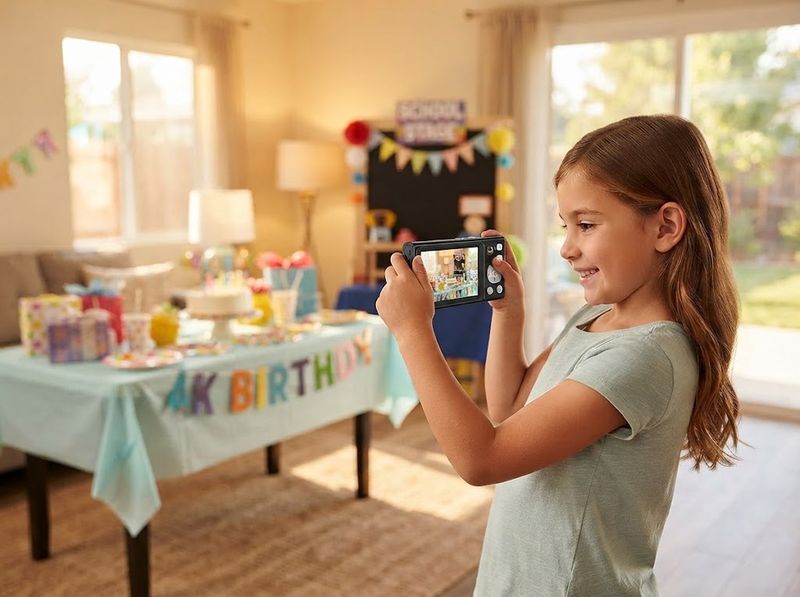
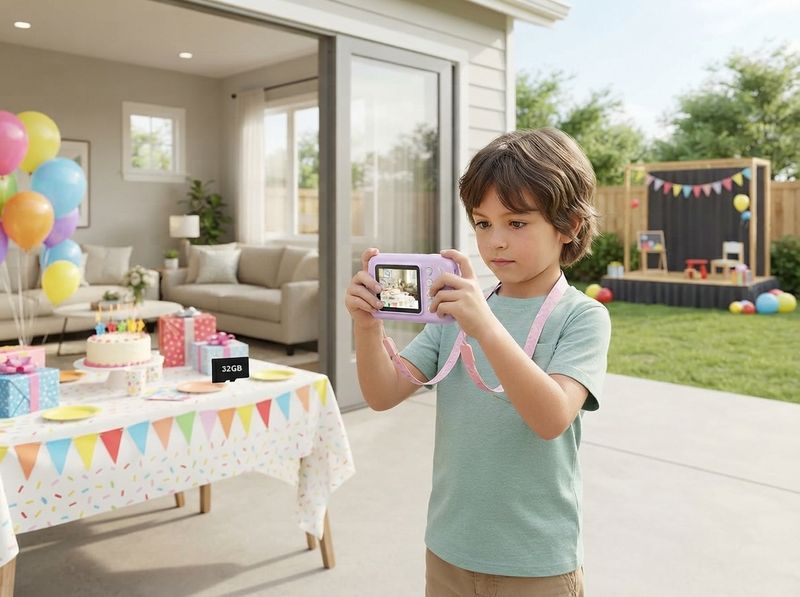
Child holding a compact SIXTARY camera in a sunlit living room

Cameras from a first zoo trip to a 6x optical stage shot

Every camera here runs a CMOS sensor, ships with a card and two rechargeable batteries, and lists its zoom type up front.

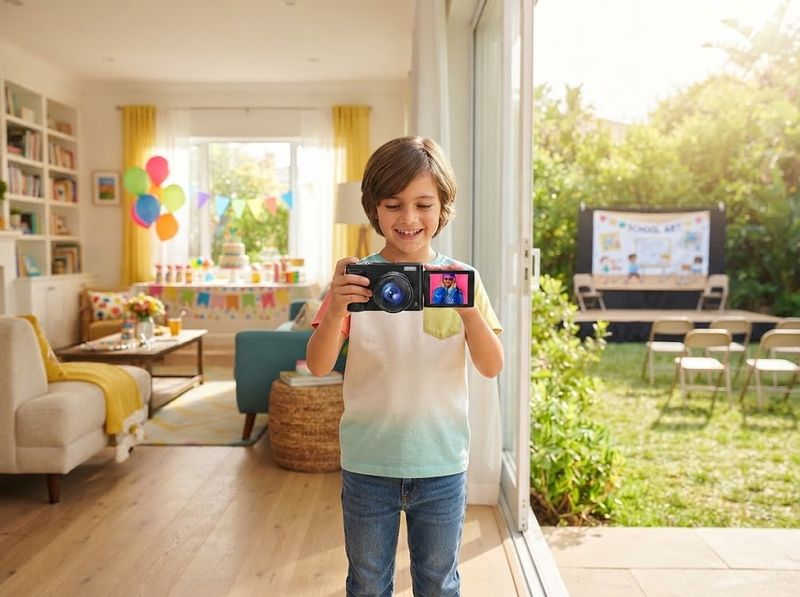
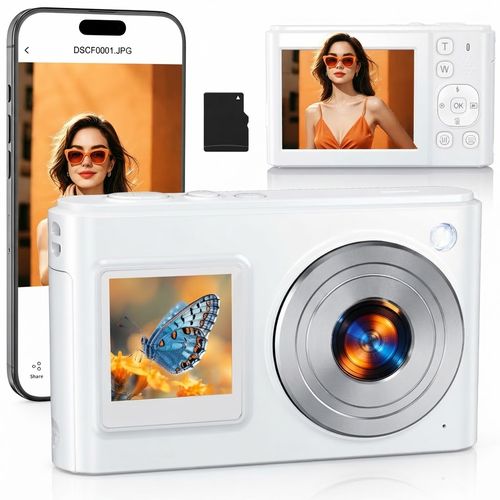
SIXTARY DC325 8K Dual-Screen Camera

★ 4.5 (64 reviews)

Film a birthday from across the room and the 8K capture still holds detail after a crop, because a CMOS sensor paired with face-detection autofocus locks the subject before the shutter fires. The dual-screen layout puts a 2.8-inch panel on the back and a 1.54-inch window on the front, so framing gets checked during the take rather than after it. Where a single fixed screen forces a test shot and a delete, both panels stay live while recording. A 32GB card ships in the box and the slot reads up to a 1TB ceiling. An 18-month replacement covers hardware faults; check today's price on the flagship body.

  • Reads a microSD card up to 1TB, so a summer of 8K clips fits without a mid-trip delete
  • Face-detection autofocus locks a moving kid before the shutter fires, and digital anti-shake trims hand wobble
  • 18-month replacement plus lifetime email support on the flagship body
See the 8K dual-screen model

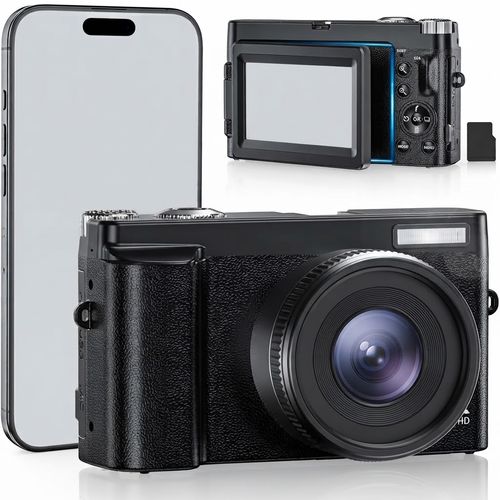
SIXTARY DC101 4K Flip-Screen Camera

★ 4.1 (108 reviews)

Rotate the 3-inch screen a full 180 degrees and a room tour gets framed before the record button, not after a third retake. A 4K capture at 64MP runs through 179 autofocus points, so a face stays locked while a kid walks and talks through a take. Where a budget vlogging body hides the framing behind the lens, this display faces whoever is holding the camera. Best-reviewed of the tiers at 4.1 stars across 108 reviews, with Wi-Fi transfer through the Viipulse app, a hot shoe for a light, and the same replacement window as the flagship. Check today's price.

  • Flip the panel a full 180 degrees and frame a selfie clip before recording, not after a retake
  • 179 autofocus points with face detection keep a walking subject locked through a 4K take
  • Rated 4.1 stars across 108 verified buyer reviews, the strongest record of the tiers
See the flip-screen model

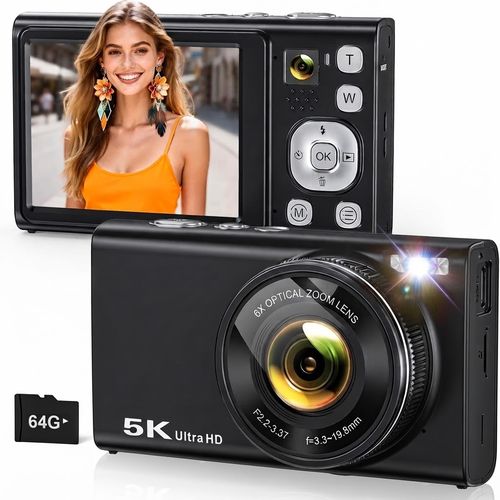
SIXTARY DC422 5K Camera, 6x Optical Zoom

★ 4.1 (79 reviews)

Shoot a school stage from the back row and 6x optical zoom magnifies through a telephoto lens, so the crop never smears a face into pixels. Twin IMX415 and IMX214 CMOS sensors feed 5K video and 96MP stills, while optical stabilization steadies a long-zoom frame shot handheld from a bleacher. File transfer runs over USB here, since a phone-to-camera Wi-Fi link is not part of this body. A 64GB card arrives seated in the slot, the mount takes a standard tripod head for stage work, and 18 months of replacement cover a hardware fault. Check today's price.

  • 6x optical zoom reaches a stage from the back row without the pixel crop of a digital zoom
  • Optical image stabilization steadies a long-zoom frame handheld, and phase-detection autofocus locks in one pass
  • Transfers by USB cable only, unlike the Wi-Fi models that pair with a phone app
See the 6x optical model

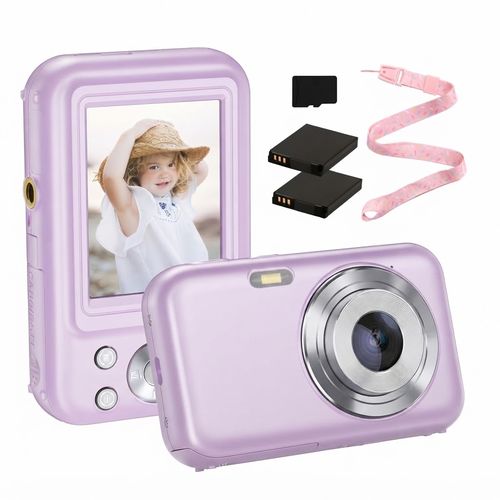
SIXTARY DC406 Purple Kids Camera, 1080p

★ 3.7 (395 reviews)

Hand a six-year-old a 110-gram purple body on a neck strap and your phone stays in a pocket for the whole zoo trip. A CMOS sensor records 1080p video and 44MP stills to a fixed 2.4-inch screen, with contrast-detection autofocus and 16x digital zoom worked from one T/W button a child can find without help. Honest framing: this is the simplest starter tier, rated 3.7 stars across 395 reviews, and blur and freeze reports sit among them, so a tween making content should look at the flip-screen tier instead. A 32GB card, two rechargeable batteries, and a USB-C cable ship inside, and a replacement window covers a hardware fault. Check today's price.

  • 110 grams on a neck strap rides a zoo trip in a six-year-old's hands, phone left in a pocket
  • One T/W button drives 16x digital zoom, so a child changes framing without a settings menu
  • Rated 3.7 stars across 395 reviews; a replacement window covers a hardware fault
See the purple starter model

From Box to First Shot in One Evening

Unpack two batteries and a 32GB card from the same box, and a first-night setup finishes before bedtime.

  1. 1

    Unbox and Charge

    Slide the bundled 32GB card into the slot and charge both batteries over USB while the box is still open.

  2. 2

    Pair or Plug In

    Pair the DC325 with the Viipulse app in a few taps; the DC422 hands clips over its USB cable.

  3. 3

    Point and Shoot

    Autofocus and anti-shake stay on, so a six-year-old frames a moving dog and presses once.

  4. 4

    Share or Go Live

    Push a birthday clip to a phone within a minute of the last take, or run webcam mode for a lesson.

The Moments These Cameras Were Sized For

Distance shots, selfie framing, and class calls, each matched to the model built for it, from 1080p to 8K.

Compact dual-lens camera raised toward a lit school stage

Shoot the Back Row of the School Recital

Sit six rows back at a winter recital and 16x digital zoom crops pixels until a face turns to mush. Raise the DC422 from that same seat and its telephoto barrel pulls the stage in at 6x optical, holding the dancer's face for the whole routine. Phase-detection autofocus locks that face in one pass, so a clip shot from the back row still reads on a phone screen later that night.

  • Frame a stage from the back row: optical zoom magnifies through glass before the sensor sees it, so no pixel stretching softens the shot.
  • Phase-detection autofocus locks a subject in one pass, where contrast detection hunts back and forth across a dim hall.
  • Where a 16x digital body crops its own frame and hands back a blurred face after a two-hour recital, the telephoto barrel reaches the stage instead.
See the 6x optical zoom DC422
Tween filming a clip with the flip screen turned toward their face

See Your Own Face Before You Hit Record

The DC101 rotates its 3-inch display a full 180 degrees, so a tween filming a room tour sees the shot before recording. A vlogging tween watches the 2.8-inch rear panel for exposure and the 1.54-inch front window for framing inside the same take on the DC325. A fixed 2.4-inch screen on the purple starter suits a six-year-old who points the camera outward at a birthday table.

  • Flip the screen up at arm's length and the framing shows live, which kills the shoot-check-delete cycle before a room tour.
  • The front window stays lit on the DC325 while the rear panel keeps exposure settings visible, checked twice before every take.
  • Where a fixed panel forces a guess on every selfie, a flip or dual layout shows the frame first.
See the flip-screen DC101
Compact camera on a small tripod beside a laptop during a class call

Turn the Camera Into the Webcam for a Class Call

Plug the DC422 into a laptop USB port and it runs as a plug-and-play webcam, with no driver install before a 9 a.m. class call. The same CMOS sensor that shoots 96MP stills feeds the call, so a teacher reads a face clearly through a full 40-minute lesson. Clamp the DC325 or DC101 to that same desk on a Saturday morning and either one streams a live lesson to YouTube or Facebook.

  • Set the camera on a desk before a 9 a.m. lesson and the standard tripod mount holds the angle for the full hour.
  • Video runs down one USB cable straight from the sensor, so nobody hunts for a capture card ten minutes before class.
  • Where a built-in laptop lens smears a face under ceiling light, this lens holds detail through an hour of class.
See the webcam-ready bodies
Hand sliding a microSD card into a compact camera at a kitchen table

Fill a Card With a Summer of Clips, No Deleting

A 32GB card fills fast once a kid records 8K clips through a theme-park afternoon. Swap in a larger microSD and the DC325 reads up to a 1TB ceiling, which covers a whole summer on one card. The DC422 arrives with 64GB seated in the slot and tops out there, so plan the card before a long trip.

  • Drop a 1TB card into the DC325 before a two-week road trip and the footage outlasts the drive home.
  • The DC422 stops at 64GB because its controller reads no higher, so a spare card beats a bigger one.
  • Pull the card at the kitchen table and read it in any laptop slot, with no app or cable in the way.
See the flagship 8K dual-screen DC325

Why Parents Pick a Camera Over a Phone Handoff

Read the sensor row, unpack a kit that needs no second order, and weigh 646 verified buyer reviews before picking a tier.

  1. 01

    Send Back a Faulty Body for 18 Months

    Email the support desk with a hardware fault inside 18 months and a replacement ships; the help line answers after the window closes.

  2. 02

    Check the Sensor Row Before the Headline Number

    Open a model page and the sensor, autofocus, and resolution rows read in under a minute, from the 44MP purple starter to the 96MP DC422.

  3. 03

    Face Detection Locks a Moving Six-Year-Old

    Face detection on the DC325 and DC101 holds a kid's face through a full sprint across the yard, and anti-shake trims the blur from a seven-year-old's grip.

  4. 04

    Shoot the Same Night the Box Arrives

    Slot the bundled 32GB card, charge both batteries over the packed cable, and the camera shoots its first frame within an hour of the box opening.

  5. 05

    The App Pairing Most Buyers Miss

    Wi-Fi models pair with the Viipulse app, so a soccer clip reaches a phone and lands on TikTok before the car ride home ends.

  6. 06

    A Camera Instead of Another Tablet Hour

    Hand a child their own capture device and the afternoon turns into a backyard photo hunt, not a scrolling session.

How the star ratings actually break down

Owner reports pulled from the buyer record on each body, praise and complaint alike, 3.9 stars averaged across 646 of them.

The truly-optical zoom makes a huge difference in image quality over the other similarly-priced digital-zoom models with tiny lenses. We wanted a simple point-and-shoot to use off grid, leave the phone at home, similar to the ones from the late 2000s, and this hit the spot.

★★★★★DC422 5K, 6x optical zoomVerified Purchase

I bought this camera for casual photography and content creation. The build feels solid and the buttons are responsive. The flip screen makes it easy to frame shots when recording. It connected to my phone without issues, and the WiFi transfer works well.

★★★★★DC101 4K flip screenVerified Purchase

I wanted something lightweight and easy to carry around, and it has been great for everyday photos and short videos without leaning on my phone. Pairing it with my phone was simple, and so has transferring pictures. It comes with a memory card, so I started using it right out of the box.

★★★★★DC325 8K dual screenVerified Purchase

I was disappointed with this camera. It did not focus when taking pics or creating a video. I returned it. The specs sound great, but did not follow through with working properly.

★★★★★DC101 4K flip screenVerified Purchase

I got this camera for my nephew and first impressions are that it is well built. It is light weight but does not feel flimsy. It comes with a strap line that I know will be very useful for him, and the extra battery and memory card that came with are nice, making this camera ready to go.

★★★★★DC406 purple starterVerified Purchase

A good little camera and easy to use. Only downside is it does freeze when scrolling the menu or pictures. If it was not for that I would give a higher rating.

★★★★★DC406 purple starterVerified Purchase

I am an electronic idiot but this seems pretty easy to use and exactly what I was looking for. I do not have a smartphone or am I on any social media, but I wanted to take pictures and download them onto my computer.

★★★★★DC422 5K, 6x optical zoomVerified Purchase

My initial reaction when my daughter opened this as a Christmas gift was skepticism. The battery door is cheap plastic and would easily be broken if not opened and closed carefully. My daughter used it Christmas Day without any issues.

★★★★DC406 purple starterVerified Purchase

The Spec Numbers Other Kids-Camera Listings Leave Vague

Read the zoom row, the storage ceiling, and the cover length before ordering: 6x optical, a 1TB card, 18 months.

Support answers past month 24

Email the support address in month 24, long after the cover window shuts, and an answer still comes back from the people who assemble the camera. Nothing routes through a reseller queue on the way.

Scroll a budget camera listing to the bottom and nothing there says what happens when the body fails in month 13.

manufacturer warranty policy

6x optical vs 16x digital zoom

Zoom in on a school stage from the back row and digital zoom just crops and blurs. Raise the DC422 from that same seat and 6x optical pulls the stage in through glass, the only body here that reaches without cropping.

Owners ask which zoom holds detail from twenty rows back; most listings print a zoom number and never say optical or digital.

manufacturer spec, optical and digital zoom fields

1TB max microSD on the DC325

Fill a 32GB card with a year of 8K clips and it runs out fast. Seat a larger microSD and the DC325 keeps recording to a 1TB ceiling, with no camera replacement needed.

Buyers hunt for the real ceiling before adding a 256GB card to the order, and most listings just print the word expandable.

manufacturer spec, maximum supported flash memory

Zero extra purchases needed

Open the box at 9 p.m. the night before a birthday and nothing sends you back to a store. A 32GB microSD card, two charged batteries, a USB cable, a lanyard, and a bag ship inside, so the camera shoots within minutes.

Buyers ask what actually comes in the box, and most budget listings bullet the camera itself while skipping the rest of the kit.

manufacturer bundle spec, built-in accessories

3.9★ across 646 verified reviews

Scroll past the specs on a no-name budget camera listing and the review block sits empty months after launch. These cameras carry 646 verified buyer reviews averaging 3.9 stars, which is proof owners kept them past the unboxing.

A no-name brand rarely stacks a review count in the hundreds; rival listings still show a blank review block a year in.

646 verified buyer reviews across the SIXTARY cameras

180-degree, 3-inch flip screen

Angle the DC101 display a full 180 degrees to frame a selfie video and the panel shows the shot before recording starts. Check that panel once before the take instead of shooting three throwaway clips to find the frame.

Most buying guides tick screen type as a checkbox and leave a shopper measuring the flip angle by hand after delivery.

manufacturer spec, screen size and flip display type

Built for a Kid's First Camera, Not for a Studio

SIXTARY camera and its bundled kit laid out on a table

Your kid asks for your phone at every school concert and every trip to the zoo. Hand over a dedicated point-and-shoot instead, and your phone stays in your pocket. Pick a fixed-screen starter for a six-year-old, or a 180-degree flip screen for a tween who films for YouTube. Every box ships ready to shoot the same night.

Budget camera boxes print 8K and 96MP in big type, and a once-burned shopper files that under too good to be true. One figure most boxes bury: the entry purple starter sits at 3.7 stars across 395 reviews, with blur and freeze reports repeating, and that record is why the higher bodies exist. Check the CMOS sensor row, the autofocus method, and the zoom type on any SIXTARY model page before ordering, and you meet a number instead of a slogan. Shoot a face from twenty feet across a dim classroom, and sensor size plus lens glass decide the sharpness long before a megapixel count matters.

A parent shopping for an eight-year-old picked the flip-screen DC101 last spring, one of 108 buyers who rated it 4.1 stars. Her daughter films dance routines every weekend and pushes the clips to a phone through the Viipulse app in about a minute. The family phone stayed in a pocket all season, where a borrowed smartphone used to disappear for an hour at a time.

No lens cap goes missing on a school trip, and no exposure dial waits to be learned before the candles get lit. Your child lifts the camera, frames the dog, and presses once, in under three seconds. By the third week it rides in a backpack every morning, and the dog, the bus window, and a birthday cake all come home on the same card.

Read the full brand story

What Buyers Worry About Before Ordering

Doubts repeat across 646 verified reviews, and each answer points at the spec row a parent can check in a minute.

The 8K Number Reads Like a Red Flag

A parent who reads 8K on a budget box in a store aisle files it under too good to be true, and that instinct is right. Put the CMOS sensor row, the lens spec, and the autofocus method side by side on the model page, and the 8K figure stops doing the deciding. Sharpness lands where those three rows land: a running kid comes out sharp when focus locks fast, not when a resolution number climbs.

The Cheapest One Might Disappoint

The purple starter runs the simplest body here, and 395 buyers left blur and freeze reports that repeat across the year. Scroll to that review record before ordering and it sits on the page rather than buried, which is why the flip-screen and dual-lens bodies exist above it. Match the tier to the kid rather than to the smallest box, and a first camera survives past the first month of daily use.

3.7★ across 395 buyer reviews on the entry tier

One More Screen in the House

Ten minutes after unboxing, a camera can look like one more screen to a parent already counting screens in the house. Then the kid carries it into the backyard and comes back with a photo hunt instead of a scrolling session. A birthday reel shot by a nine-year-old gets watched at the dinner table that night, and the footage is something the child made rather than watched.

Outgrown by Spring

By spring, a fixed-screen starter that fit a six-year-old stops fitting a ten-year-old filming room tours. Move the older kid onto a flip screen for self-framing, or onto a dual-lens body for reach across a gym, without hunting a second brand. The younger sibling inherits the starter and shoots the same backyard hunts a year later.

Nobody Answers When It Breaks

Freezes and card errors do show up in reviews, and a parent should not have to guess at the fix on a Sunday night. Email [email protected] with the model and the fault, and an 18-month replacement covers a hardware failure. Support keeps answering after that window shuts, so compare two spec rows side by side tonight and pick one.

Two spec rows side by side tonight settles it — pick a tier and check today's price.

Day 1 to Year Two With the Camera

From the first charge to the second summer, here is how the first 18 months with the camera run.

  1. Day 1

    Unbox at 7 p.m., seat the bundled card, and charge one battery while dinner cooks. Test every button that night, because a hardware fault inside the replacement window ships a free unit back to you.

  2. Week 1

    Pair a Wi-Fi model to the Viipulse app on a Saturday morning, and Sunday's soccer clips reach a phone before the kit bag gets unpacked.

  3. Month 1

    By the fourth weekend, autofocus and anti-shake stop being settings anyone thinks about, and the camera lives in a backpack pocket instead of a drawer.

  4. Year 1+

    A year in, the coverage window still has six months to run, and the support address keeps answering long after it closes.

Ready for Day 1? The flip-screen DC101 fits a tween who films, the purple starter fits a six-year-old.

Spec-by-Spec Against the Kids-Camera Shelf

Zoom type, screen, storage, battery, and coverage terms, from 6x optical reach to what the replacement policy pays for, lined up against VTech and Dragon Touch.

CriterionSIXTARYVTechDragon Touch
Zoom type6x optical on the DC422; 16x digital elsewhereFixed lens, digital crop onlyDigital zoom crop only
Screen and self-framing180-degree flip, dual front and rear, or fixed panel by tierSmall fixed LCD, dual viewfinder stylingFixed rear screen, no flip
Storage32GB or 64GB card bundled; 1TB ceiling on the DC325Onboard memory plus a card slotCard bundled, lower ceiling
BatteryTwo rechargeable lithium-polymer packs in every boxAA cells on many kid modelsOne rechargeable pack, no spare
Replacement policy18-month replacement plus lifetime support by emailLimited warranty only, no lifetime supportLimited warranty only, no lifetime support
Instant printNot offered; files move by cable or Wi-FiThermal print models sold in the categoryThermal print models sold in the category
Age fitEntry starter through flagship under one brandPreschool and early-grade focusSingle kid tier, no step-up

Optical zoom, card ceilings, and what the cover pays for

Answers a parent can check against the spec row on any model page before ordering.

What is a SIXTARY digital camera?

SIXTARY sells point-and-shoot digital cameras built as a kid's first camera and as a starter body for beginner vloggers. Each one runs a CMOS sensor with automatic exposure, autofocus, and anti-shake, so a child frames a shot and presses one button with no exposure settings to learn first. Every box ships with a microSD card, two rechargeable batteries, a USB cable, a lanyard, and a camera bag, which means the camera shoots the night it arrives. Capture runs from FHD 1080p on the entry tier to 8K on the flagship, and an 18-month replacement covers every model.

Who are these cameras actually built for?

Parents replacing a phone handoff, tweens starting to film content, and gift-buyers who need a working kit on day one. The interface uses simple buttons instead of manual exposure controls, so a second-grader can shoot without help. Adults wanting a light travel body use them too, though a photographer chasing studio results should look at a mirrorless system instead.

How do the models differ from each other?

Resolution, zoom type, and screen layout separate the tiers. The DC406-Purple records 1080p at 44MP behind a fixed rear screen. The DC101 steps up to 4K at 64MP with a 180-degree flip panel. The DC422 adds 6x optical zoom on a dual-lens body, and the DC325 tops the range at 8K, 96MP, and a front-plus-rear screen pair.

Is a dedicated camera worth it over just using a smartphone?

A dedicated body wins on two counts that matter for a child. Your phone stays in your pocket, with its messages, contacts, and photo roll untouched during a school trip. And a kid learns framing on a device built for one job, with a zoom button and a shutter instead of a share sheet. Image quality is comparable, not superior, to a recent flagship phone.

What age should a kid get their first camera?

Around five or six works for a simple fixed-screen model, when a child can hold a strap and press a shutter without dropping the body. Nine to twelve is where framing gets deliberate and a flip screen starts earning its place. Teens making content for an audience want the higher tiers, with 4K or better capture and a webcam mode for streaming.

What is the best first camera for a five- or six-year-old?

The purple starter suits that age best: 110 grams, a neck strap, a fixed rear screen, and a single T/W button for zoom. There is no menu to get lost in and no lens cap to lose. Expect charming snapshots rather than sharp portraits, since a 3.7-star average across 395 reviews reflects a body built for simplicity, not for detail.

Does megapixel count actually matter on a kids camera?

Less than the marketing suggests. Sensor size, lens quality, and autofocus decide whether a photo looks sharp, and a high interpolated megapixel number cannot rescue a soft lens. Use the figure to compare tiers within a line, not across brands. The more useful rows are the autofocus method, the image stabilization type, and whether the zoom is optical or digital.

What is the difference between optical zoom and digital zoom?

Optical zoom moves glass inside the lens, so the sensor records a genuinely magnified scene at full resolution. Digital zoom crops the frame and enlarges the remaining pixels, which softens edges as the crop grows. At 16x digital, a face across a gym turns mushy. At 6x optical, the same face keeps its detail because nothing was thrown away.

Which model has optical zoom?

The DC422 is the one with true optical reach: 6x through a telephoto lens on a dual-lens body, backed by optical image stabilization and phase-detection autofocus. The DC325, DC101, and DC406-Purple use 16x digital zoom instead, which crops into the frame. For sports sidelines, recitals, and anything shot at distance, the optical body is the pick.

Do these cameras connect to a phone or have Wi-Fi?

Wi-Fi runs on the DC325 and the DC101, which pair with the Viipulse app to move photos and clips to a phone wirelessly. The DC422 and the DC406-Purple transfer over the bundled USB cable or by pulling the microSD card. If wireless handoff to a phone is the reason for the purchase, choose one of the Wi-Fi bodies.

Does the webcam mode work with Zoom or Teams calls?

Webcam mode connects over USB and registers as a standard video device, so a laptop treats it like any other webcam. That covers Zoom, Teams, Google Meet, and browser-based class platforms, plus streaming to YouTube or Facebook. No driver install is needed before a call, and the camera keeps working as a webcam while it charges over the same cable.

What screen does each model use?

Screen layout is the clearest tier marker. The DC406-Purple keeps a small fixed panel facing the back. The DC101 turns a 3-inch display through 180 degrees for self-framing. The DC422 works off a fixed rear panel, and the DC325 pairs its rear screen with a narrow front window, so a vlogger watches the frame while recording rather than after.